> For the complete documentation index, see [llms.txt](https://help.tokenpocket.pro/en/llms.txt). Markdown versions of documentation pages are available by appending `.md` to page URLs; this page is available as [Markdown](https://help.tokenpocket.pro/en/wallet-faq-en/eth-wallet/how-to-create-eth-wallet.md).
# How to create ETH wallet?
There are many ways to create an ETH wallet. One of the easiest and most practical ways to create an ETH wallet is to download a TokenPocket.
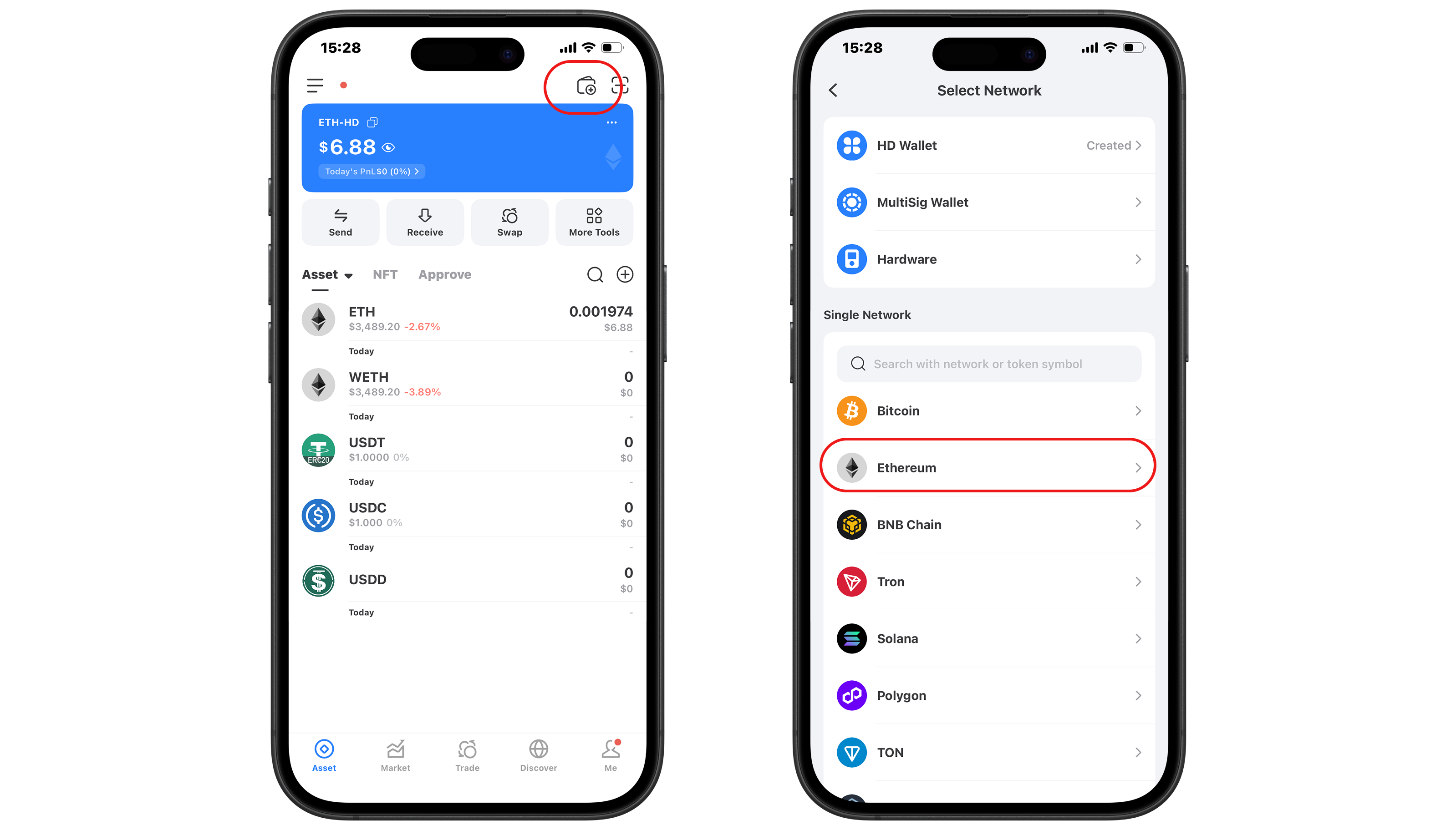
1. Donwload and open TokenPocket, click the wallet icon on the top right corner, then choose the Ethereum network.
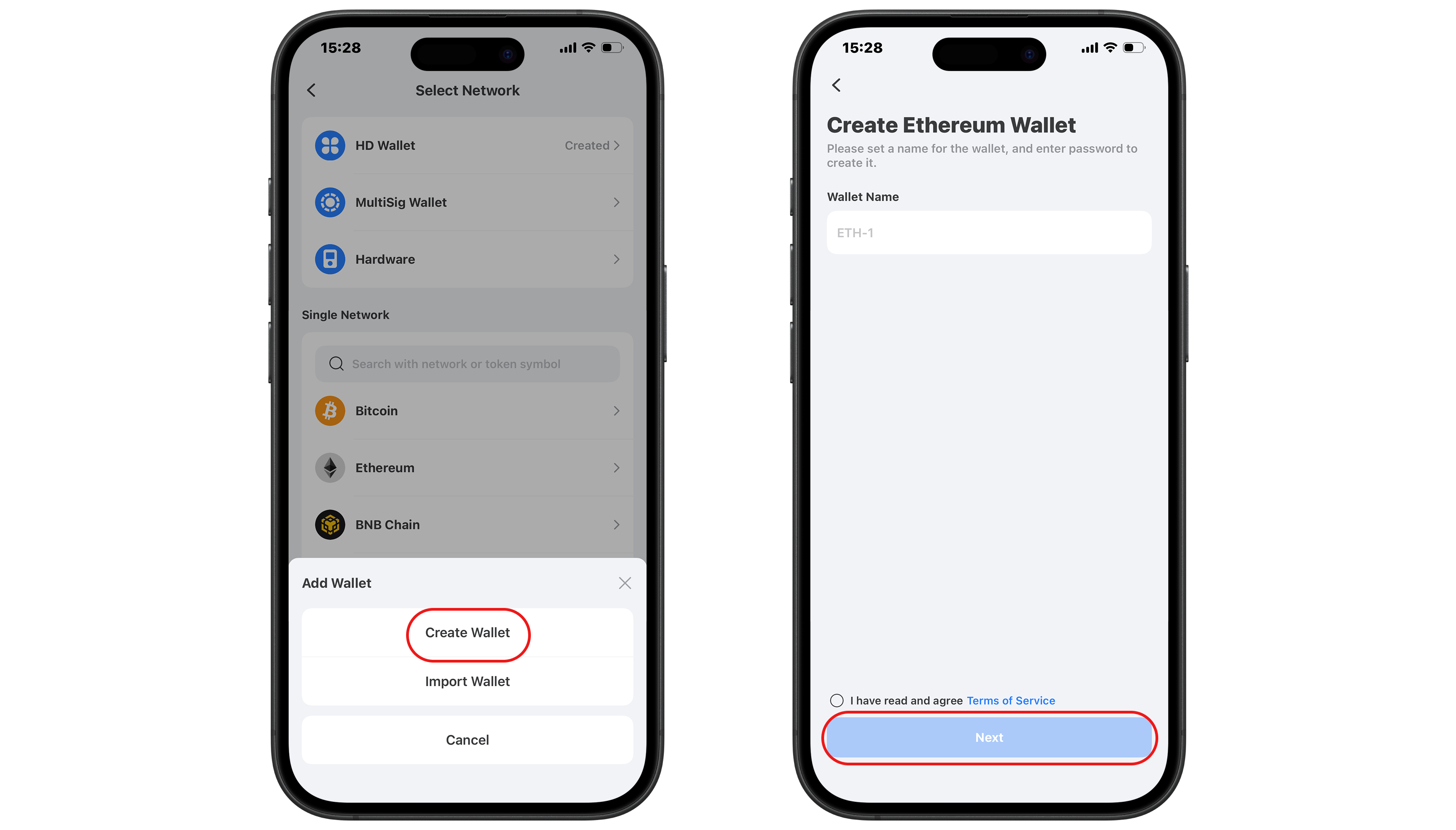
2. Click "Create Wallet" and set a wallet name, then click "Next".
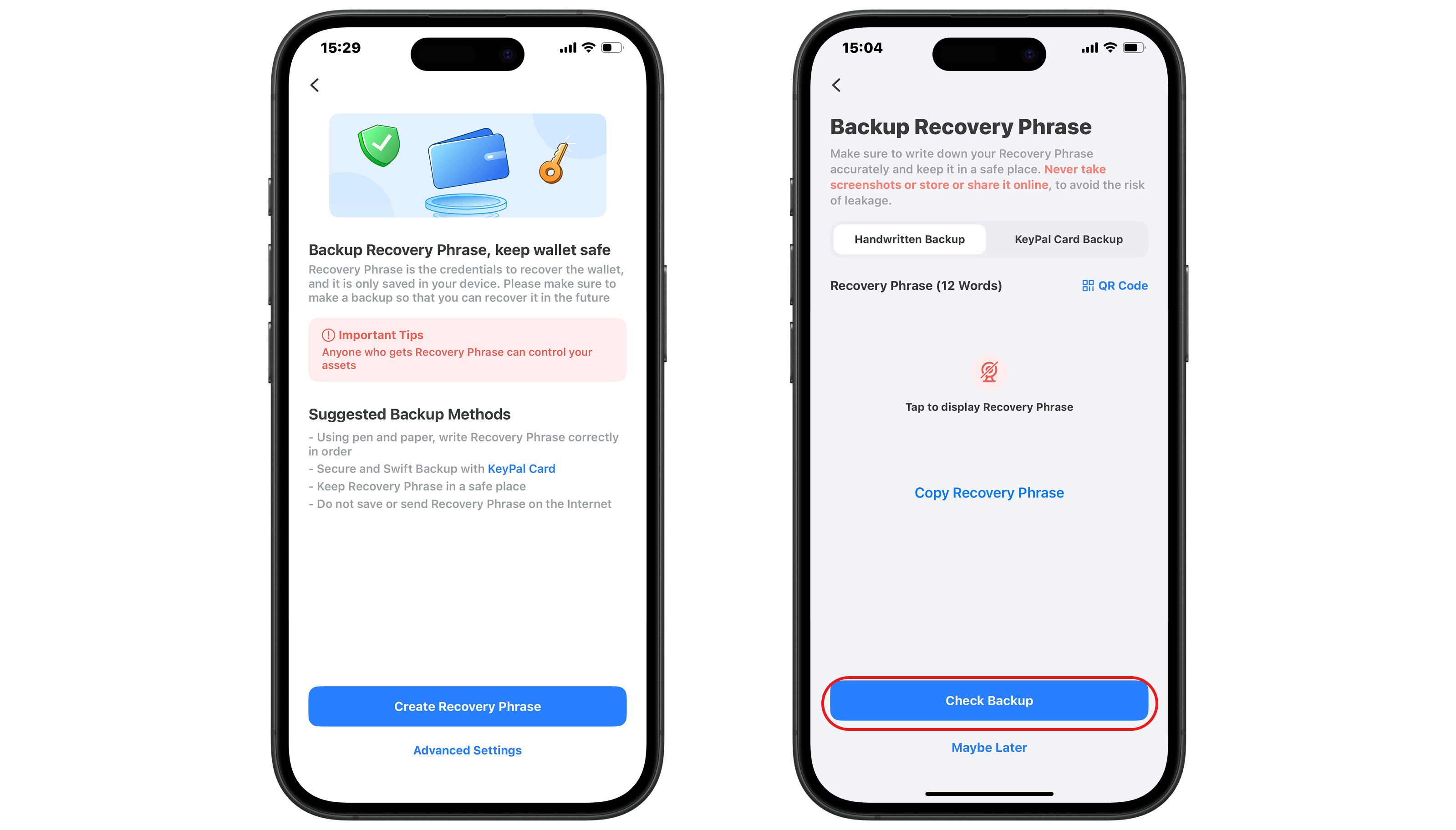
3. Back up the mnemonic or private key of the wallet, and never share them to others.
> **Recommend:** [What is Private Key, Mnemonic and Wallet Password?](https://help.tokenpocket.pro/en/blockchain-basics/what-is-the-private-key-mnemonic-and-wallet-password)