# Give encouragement and feedback to TP Wallet on the App Store.
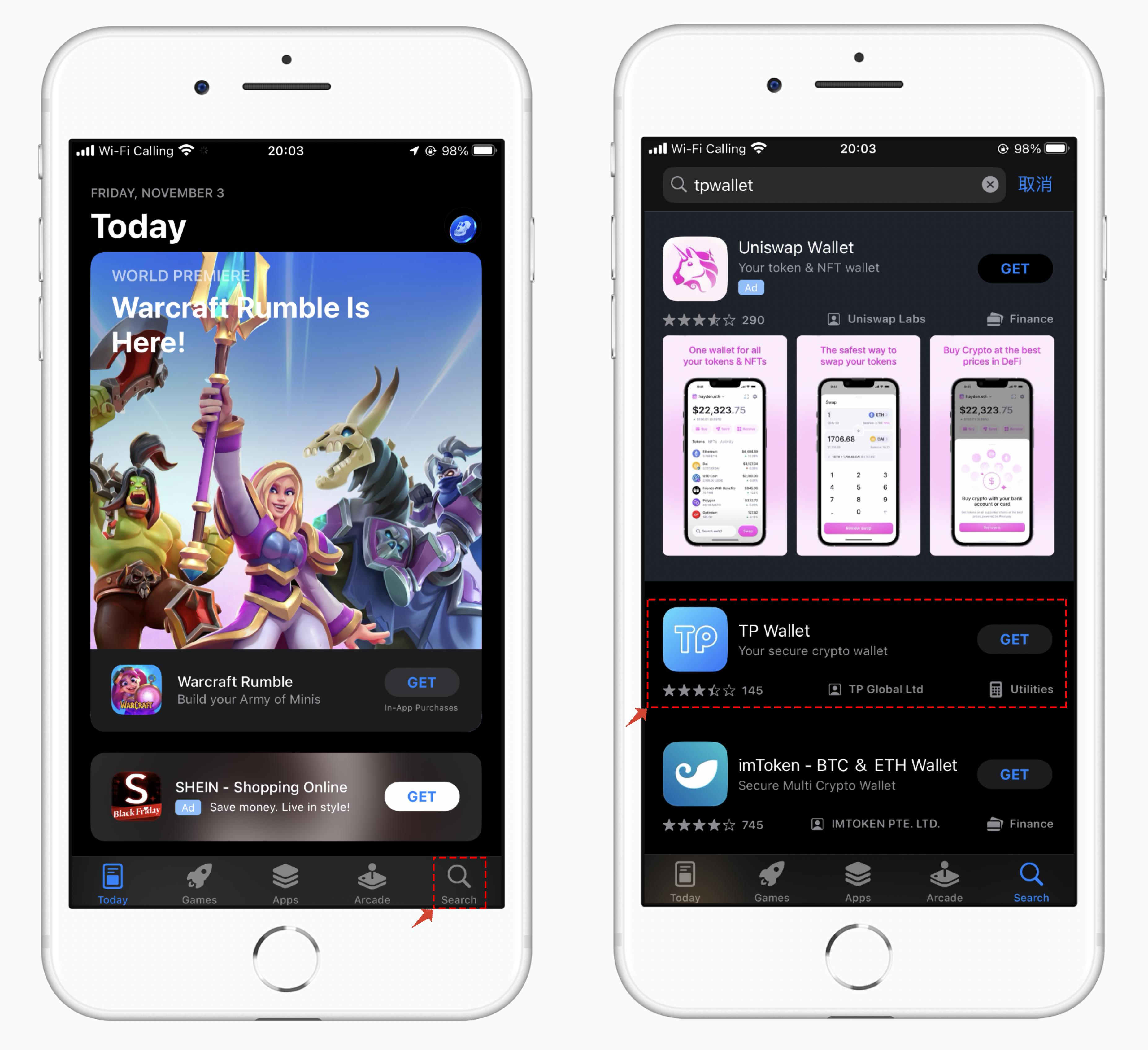
1.Open the App Store and tap on the "Search" function in the bottom right corner. Enter the search keyword "TP Wallet" and search for the results. In the search results, select the TP Wallet with the blue icon. Below the app interface, you will see the developer listed as "TP Global Ltd." Make sure to identify the developer as this is the only official TokenPocket identifier.
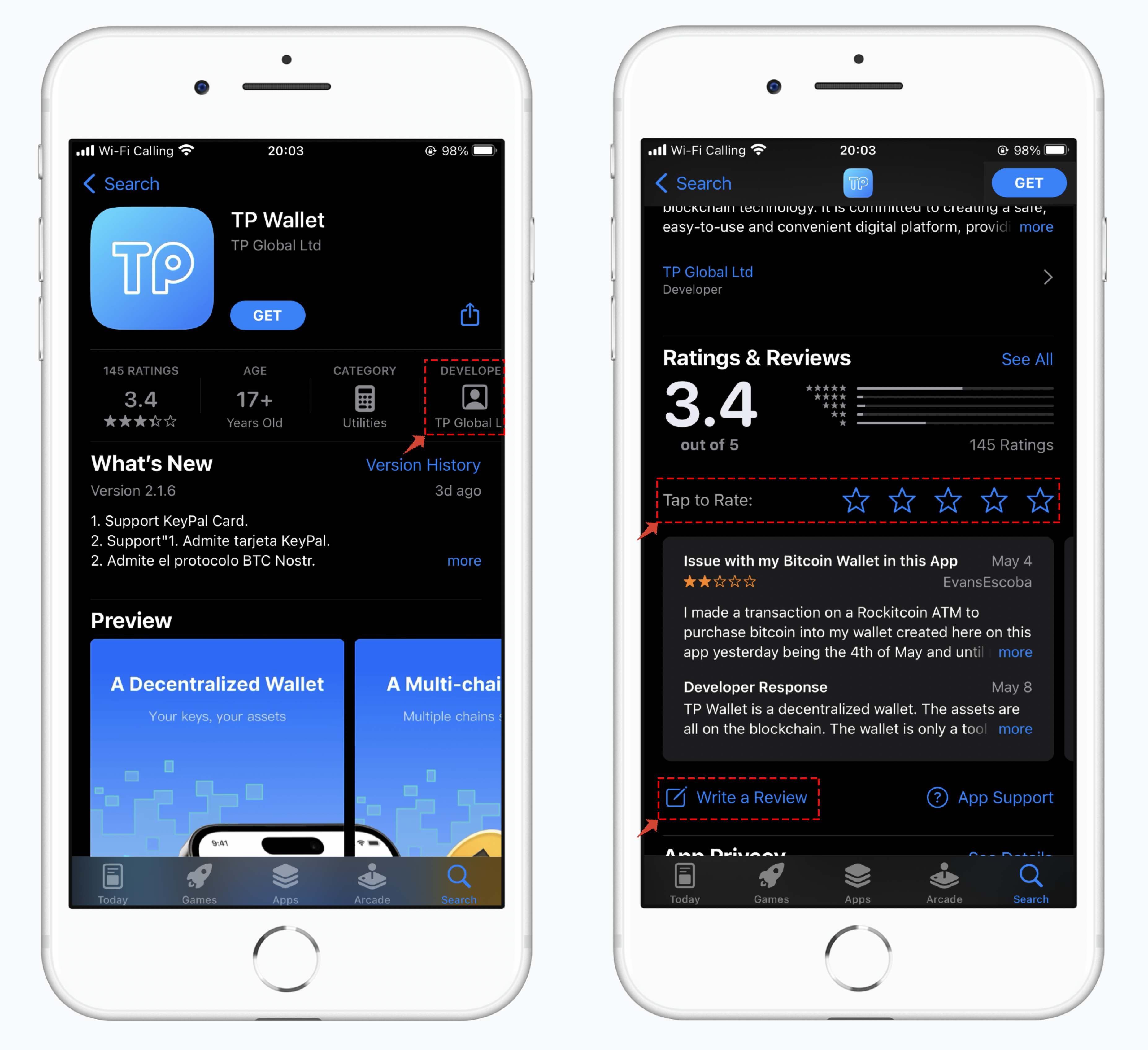
2.Click on TP Wallet to access its details page. On the details page, you will also see the prominent developer listed as "TP Global Ltd." If you scroll down the interface, you will find the section for ratings and reviews, where you can provide feedback or report issues.
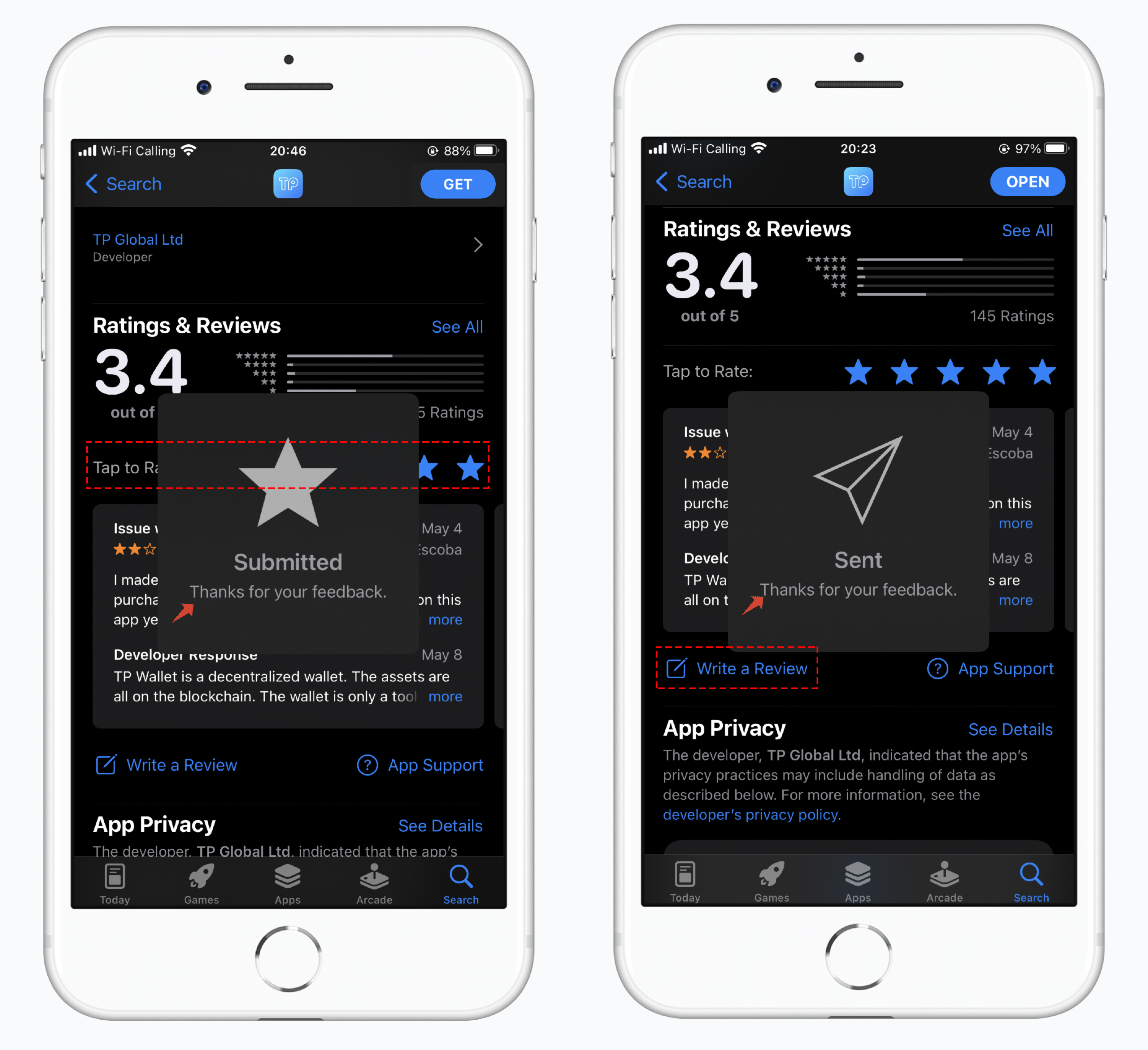
3.There are two ways to leave a rating and review. The first method is to first give a rating and then proceed to write a review, as shown in the image below. The other method is to write a review directly, and at the end of your review, you will be prompted to provide a rating by selecting the highest rating to show your encouragement.
---
# Agent Instructions: Querying This Documentation
If you need additional information that is not directly available in this page, you can query the documentation dynamically by asking a question.
Perform an HTTP GET request on the current page URL with the `ask` query parameter:
```
GET https://help.tokenpocket.pro/es/wallet-operation/comment.md?ask=
```
The question should be specific, self-contained, and written in natural language.
The response will contain a direct answer to the question and relevant excerpts and sources from the documentation.
Use this mechanism when the answer is not explicitly present in the current page, you need clarification or additional context, or you want to retrieve related documentation sections.