> For the complete documentation index, see [llms.txt](https://help.tokenpocket.pro/en/llms.txt). Markdown versions of documentation pages are available by appending `.md` to page URLs; this page is available as [Markdown](https://help.tokenpocket.pro/en/security-knowledge/common-fraud-cases/pretender.md).
# Be aware of "Phishing" address.
As we all know, scammers always develop risky links or websites to attract users to execute approval operations, this form to transfer users’ assets is common and we also share via Twitter and Telegram to help users to get away from scams. And, you still need to be aware of it and don’t access the third-party website randomly!
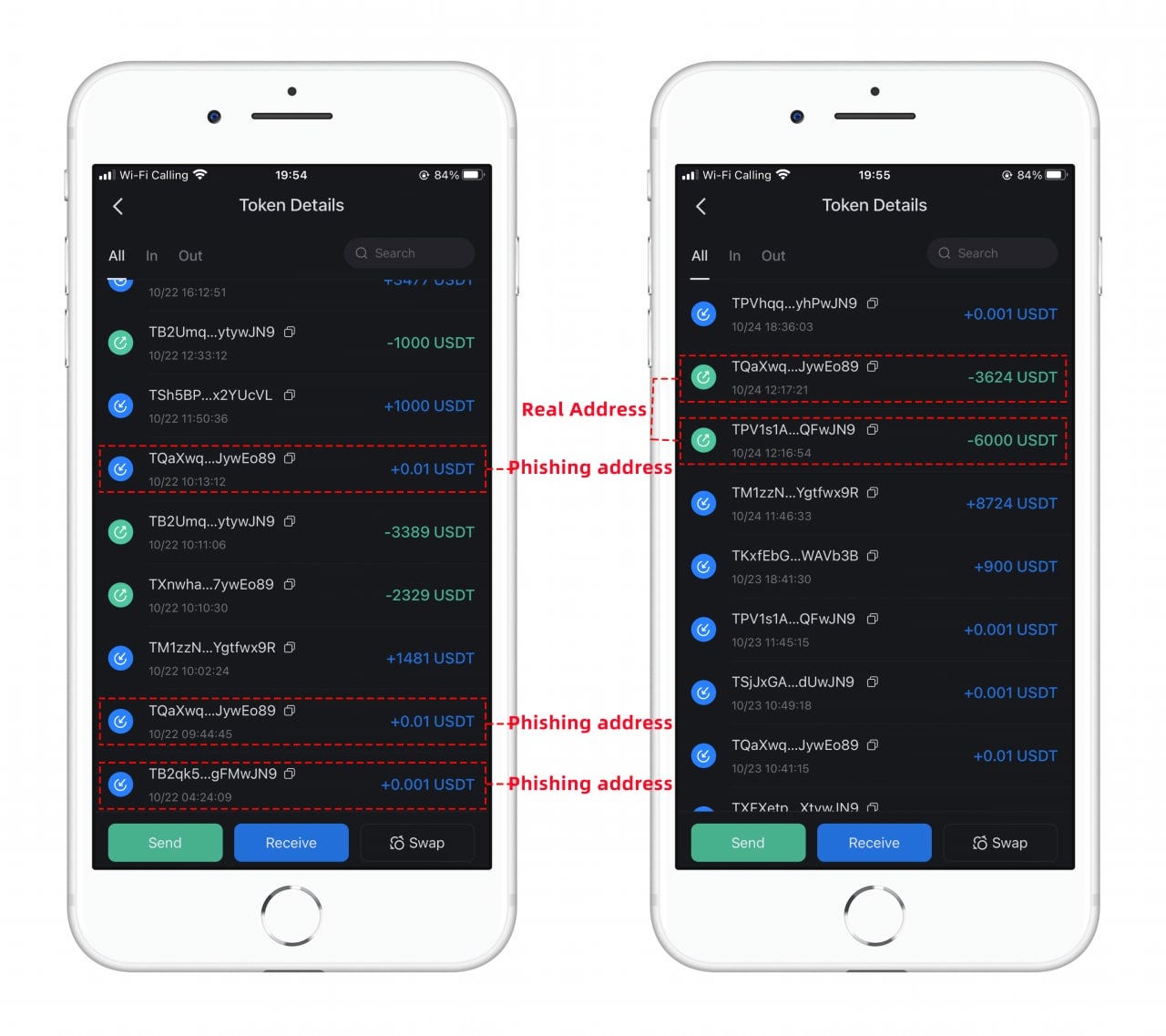
Recently, the TokenPocket technical team find a new kind of scam, which we named it **“phishing” address**.
This scam is in a more “primitive” way, the scammers will monitor the addresses which usually transfer large amounts of $USDT on-chain, and find the recipient address within the transaction history. Then, the scammers will use a tool like “Account Generator” and generate a “phishing” address that is very similar to the recipient address **(usually the first few digits or the last few digits are as same as the recipient address)**, then, they will use this “phishing” address to transfer ***0.001 USDT or 0.01 USDT*** to the users’ addresses, then this transfer will appear on users’ transaction history. If the users didn’t recognize it and copy the “phishing” address from the transaction history and paste it to the transfer page and execute the transfer operation.
**Since blockchain is irreversible, if you transfer to the “phishing” address, no one can help you to recover your assets. Users’ assets can only be controlled by secret recovery phrases and private keys.**
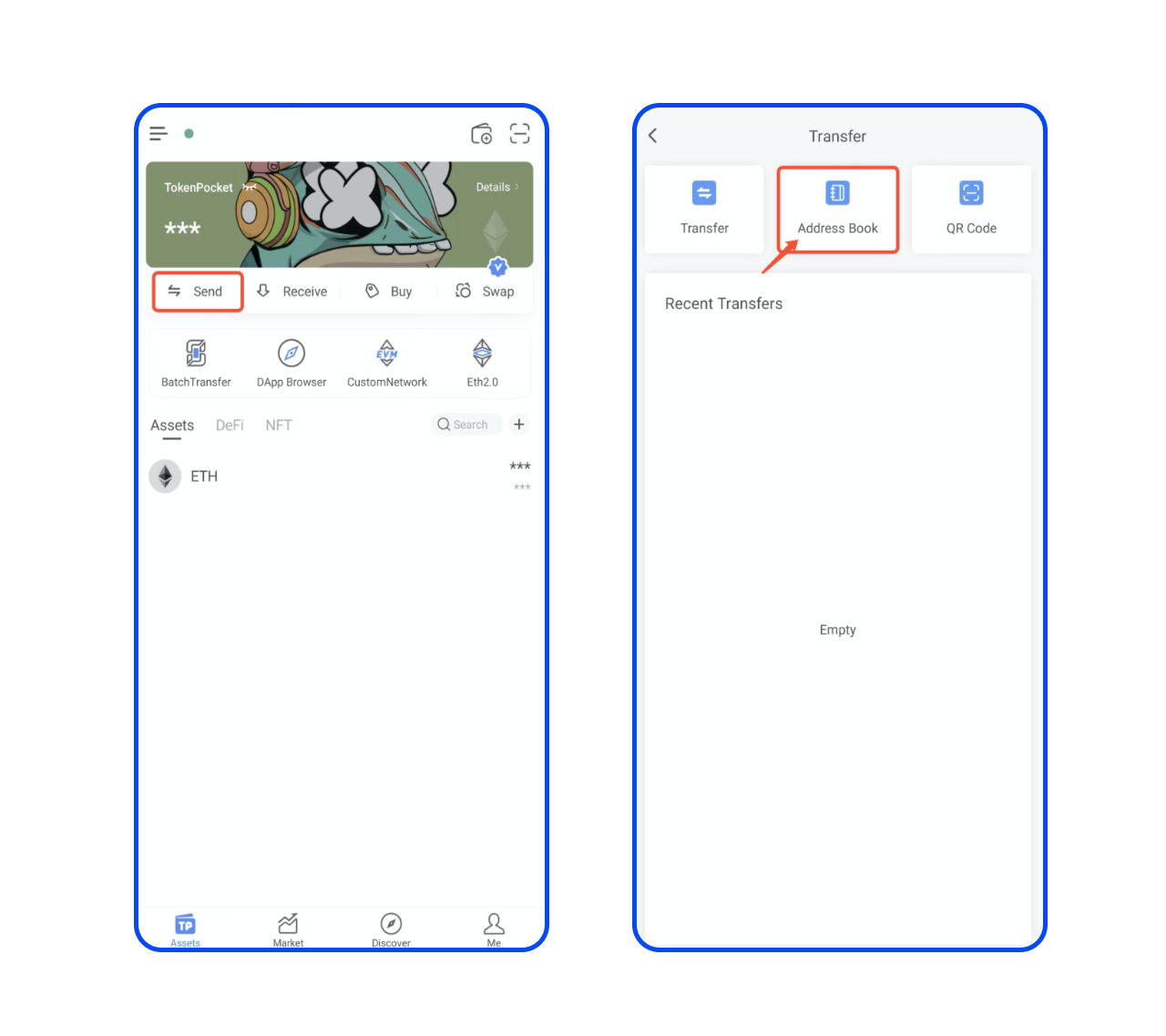
> **Please check the whole recipient address before you transfer, don’t copy the recipient address from the transaction history randomly!** And we recommend you use the “Address Book” function on TokenPocket then you can directly choose the recipient address when you need to transfer.
## How to use “Address Book“?
TokenPocket Assets Page > Send > Address Book