> For the complete documentation index, see [llms.txt](https://help.tokenpocket.pro/en/llms.txt). Markdown versions of documentation pages are available by appending `.md` to page URLs; this page is available as [Markdown](https://help.tokenpocket.pro/en/security-knowledge/security-measure/mev-protection-tutorial.md).
# MEV Protection Tutorial
**What is an MEV attack?**
MEV, in a sandwich attack, involves front-running. A user's transaction triggers a bot to strategically execute a buy before and sell after profiting from price differences and the front-running tactic.
**How to prevent MEV?**
To avoid MEV attacks, you can send your transactions to some private nodes (e.g. Flashbots) to ensure that your transactions are executed properly. If you send a transaction to a private node, you need to wait for the transaction to be uploaded before confirming its status so the transaction will be a bit slower.
**TokenPocket's MEV protection feature will reduce slippage and avoid MEV attacks, making transactions more secure.**
**Note:**
1. MEV Protection is available in the "Swap" function.
2. MEV Protection does not support smart wallets and multi-sig wallets.
3. Ethereum Chain and BSC Chain are supported.
## Tutorial
Take the BSC Chain as an example.
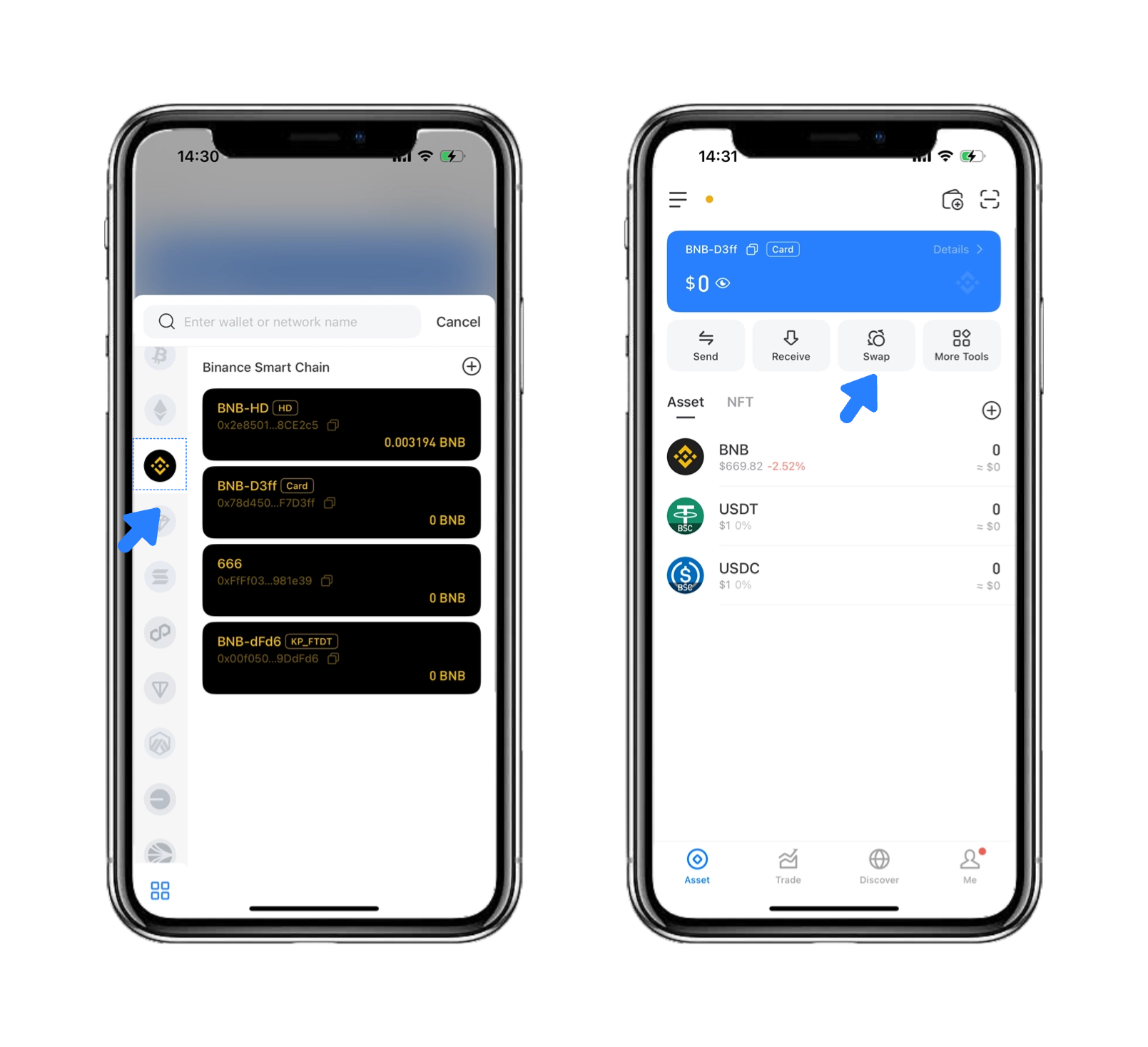
1. Select the BSC Chain and click \[Swap].
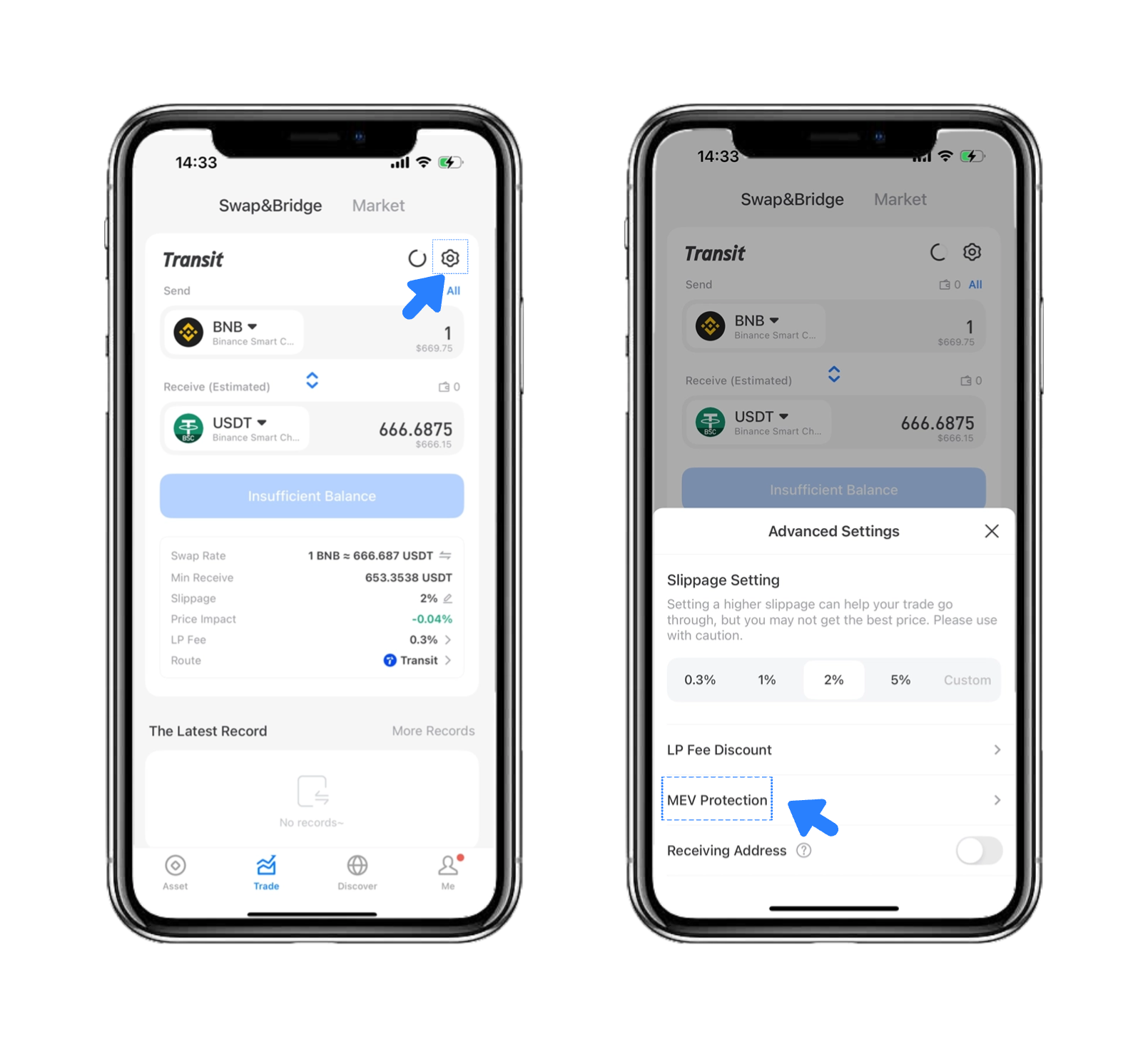
2. Click the \[Settings] icon on the upper right and select \[MEV Protection].
3\. Slide the \[Enable MEV Protection] button to the right, and it will show that \[MEV Protection] is open.
**Note:**
**MEV Protection currently does not support smart wallets and multi-sig wallets.**
### **Plugin Wallet Setup Tutorial:**
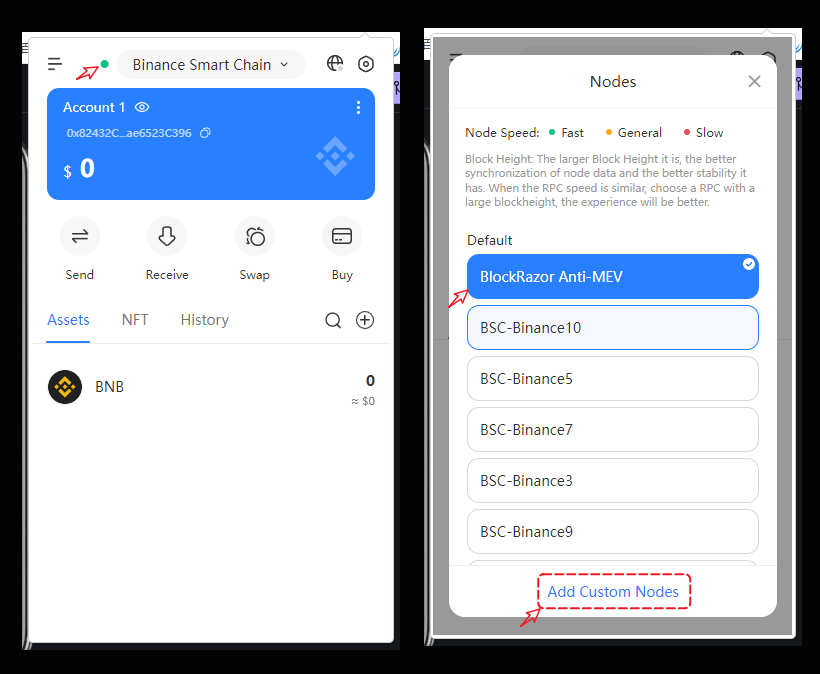
Open the TokenPocket plugin wallet, click the small circle in the upper left corner, and in the node list, you will see nodes that include "MEV," which are equipped with anti-MEV functionality. You can also click "Add Custom Node" at the bottom to use third-party trusted anti-MEV nodes.
.png?alt=media&token=f576ccd4-3aed-45ad-9f40-a029273b2b15)