> For the complete documentation index, see [llms.txt](https://help.tokenpocket.pro/en/llms.txt). Markdown versions of documentation pages are available by appending `.md` to page URLs; this page is available as [Markdown](https://help.tokenpocket.pro/en/wallet-operation/tp-card/alipay.md).
# TP Card Binding with Alipay
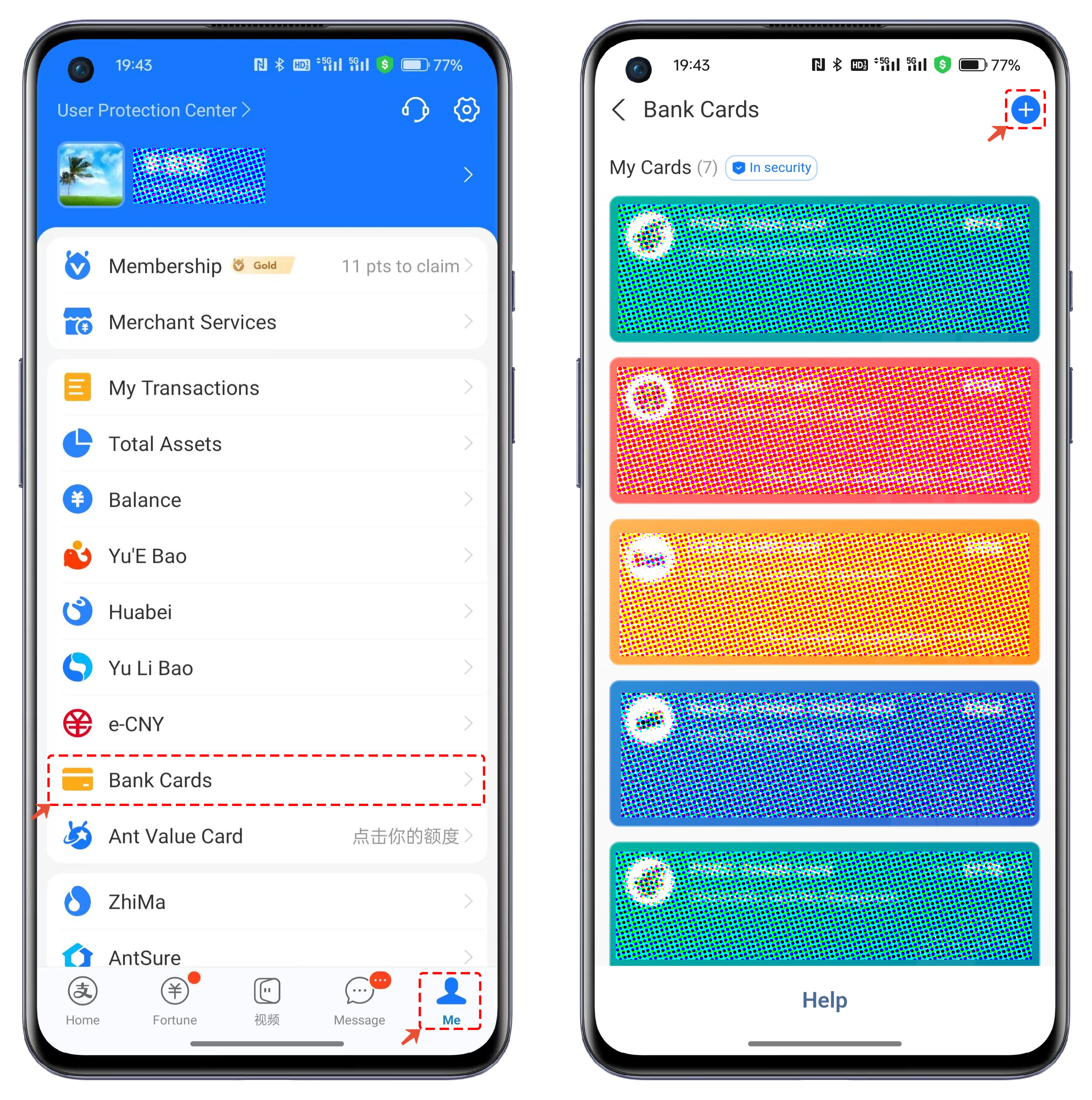
1. Open the Alipay app, click on **\[Me]**, then click **\[Cards]**. In the cards interface, click the **\[ + ]** button in the top right corner to add a new card.
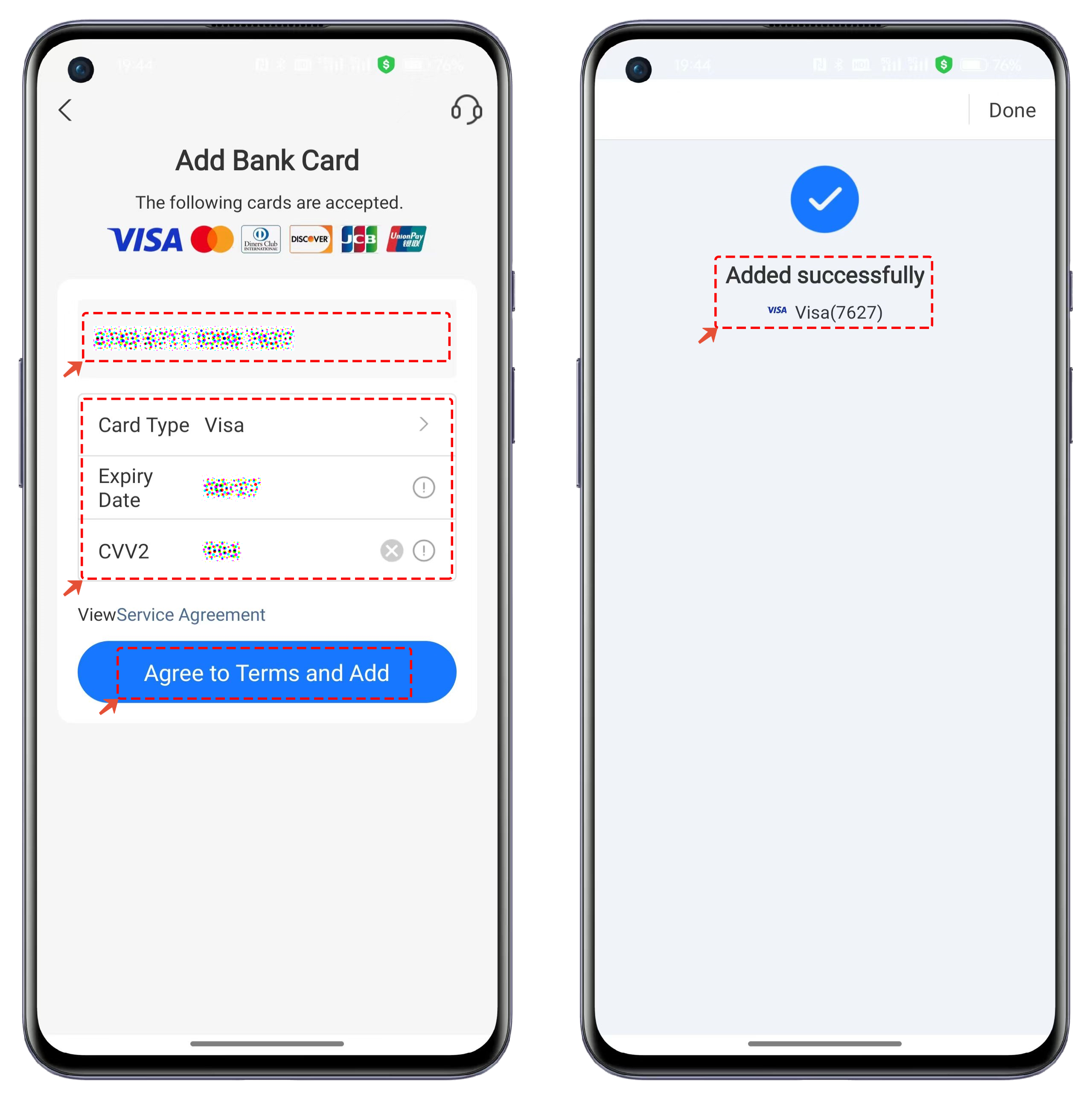
2. Enter the TP Card account number, expiration date, and CVV information, then click **\[Agree to the Terms and Add]**. Once verified successfully, the card will be added.