> For the complete documentation index, see [llms.txt](https://help.tokenpocket.pro/en/llms.txt). Markdown versions of documentation pages are available by appending `.md` to page URLs; this page is available as [Markdown](https://help.tokenpocket.pro/en/security-knowledge/common-fraud-cases/zero-transfer.md).
# Be aware of “0 USDT” transfer scam.
As we all know, Malicious Approval is to approve some amount of tokens to be invoked by the contract, but most of the malicious approvals will invoke all your token balance.
## **But, is it possible to invoke the assets of a normal wallet address that didn’t approve before?**
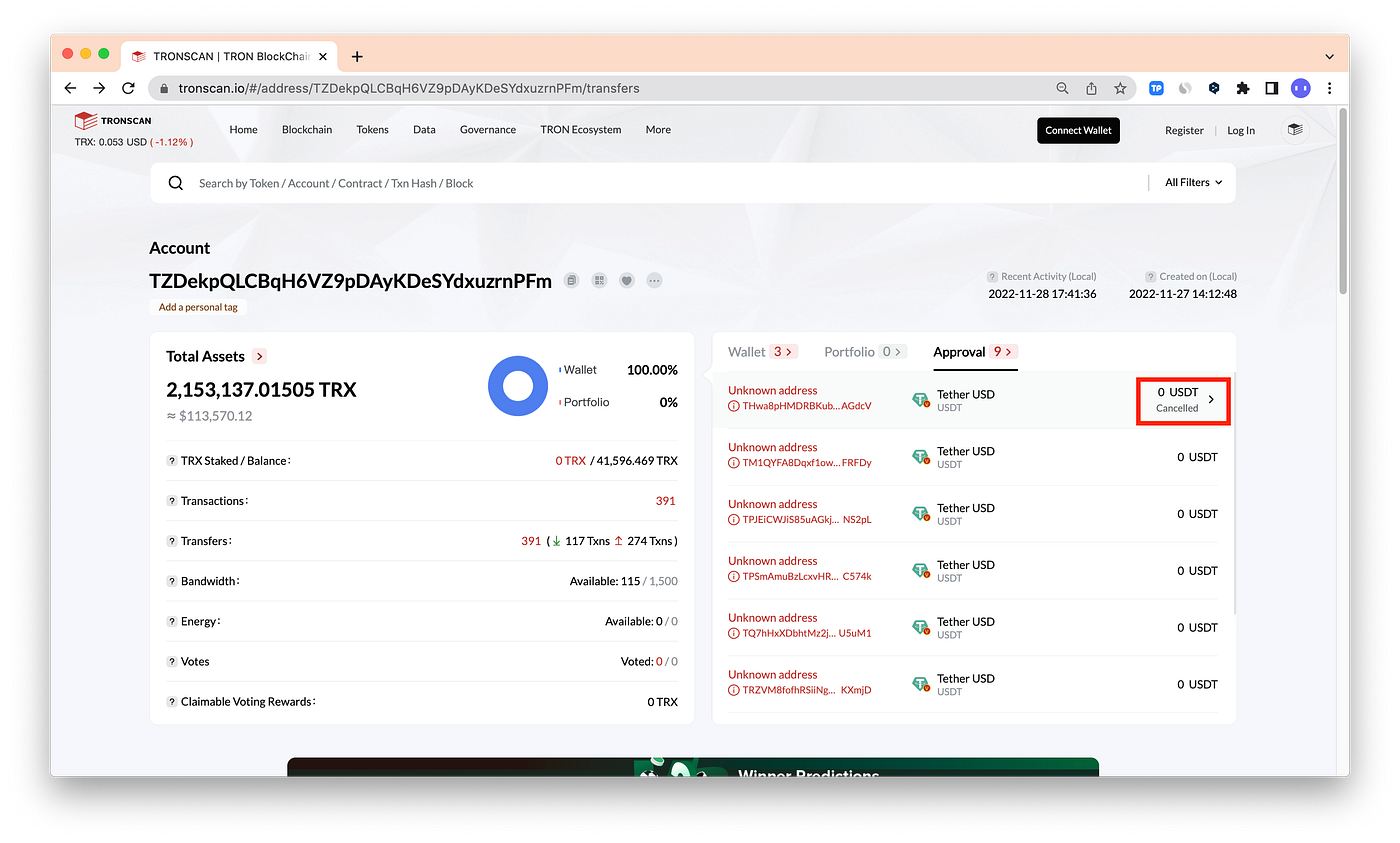
Recently, many users found out there is a “0 USDT” transaction history appearing in the wallet. For example,
The first time you saw this transaction, you might think you were struggling with the risk of risky approval, then you might check on the blockchain explorer.
However, only “Cancelled” is shown on the blockchain explorer.
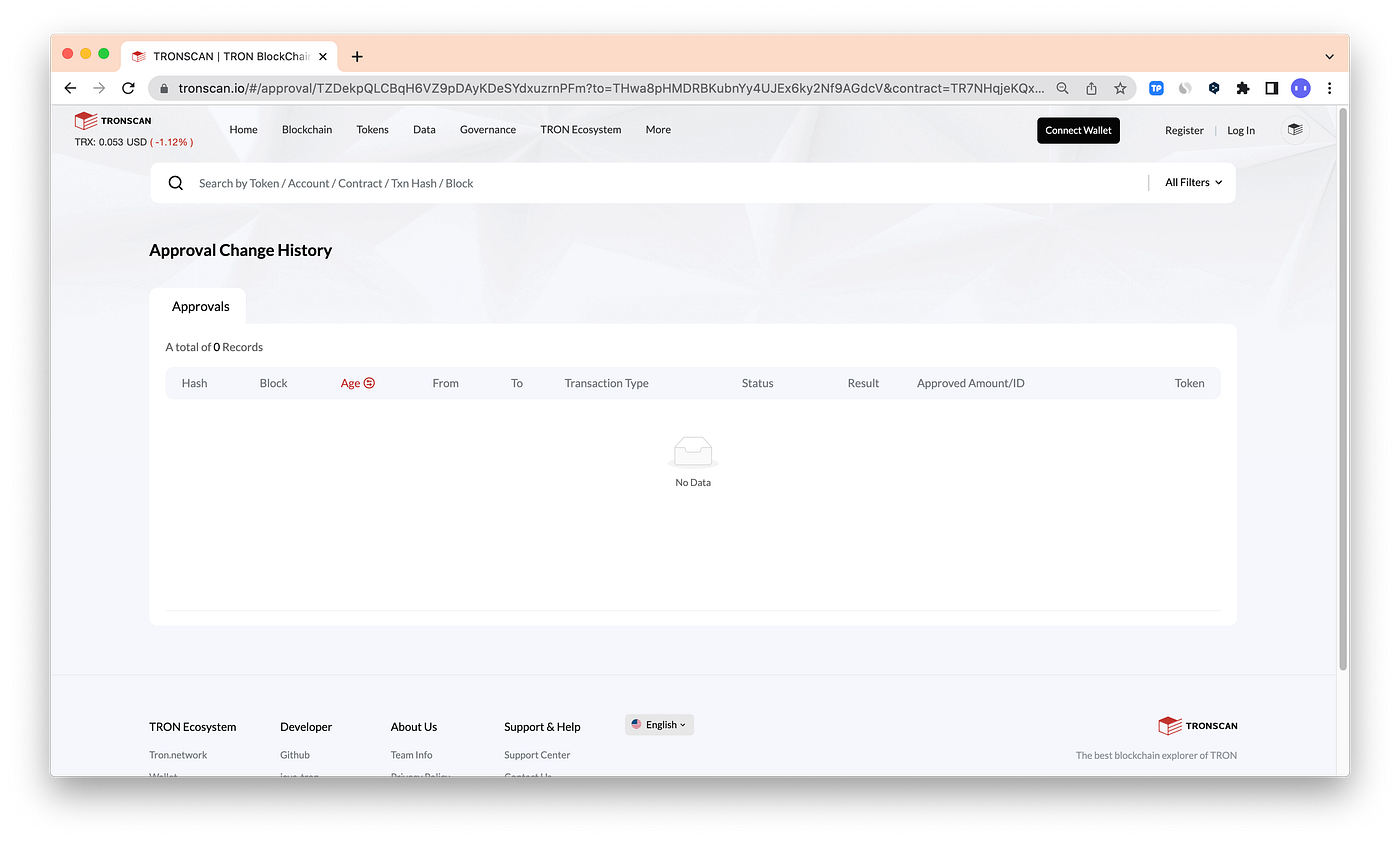
And you can’t find any approval history in the **Approval Change History.**
## So, what’s going on? Let me explain further.
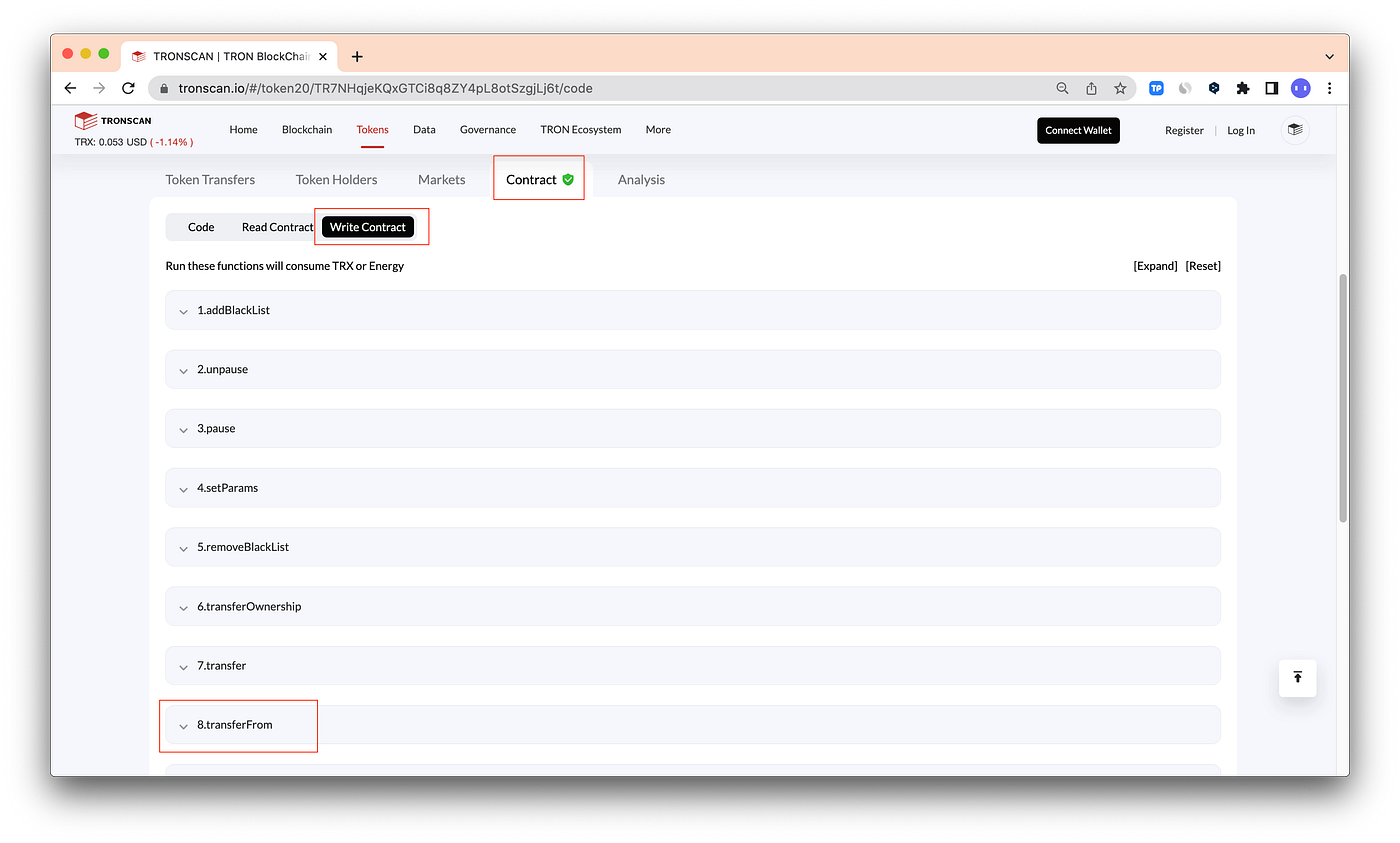
Take TRONSCAN as an example, find the USDT contract address, and click \[Contract] — \[Write Contract] — \[8. transferfrom].
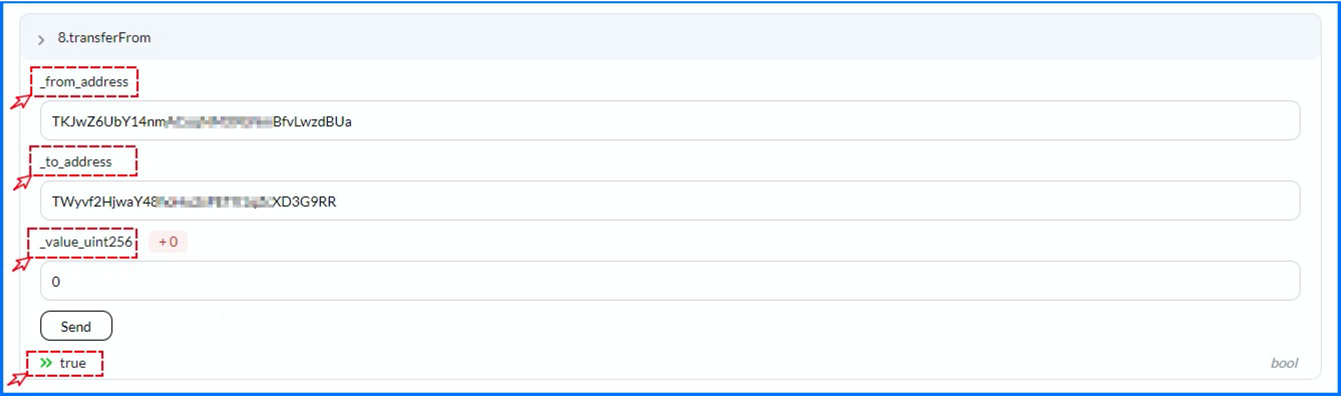
You can enter \[\_from\_address], \[\_to\_address\_], and the \[\_value], then click \[Send]. \[true] means the operation is successful. ***This is a simple invoke operation, which will cause your wallet \[Approval] to add a history that shows “Cancelled” and also, through this invokes, it will cause “0 USDT” transfer history to appear in your wallet.***
Scammers want to trick you into copying the wrong address during the transfer process, which can lead to the loss of assets. [**Be aware of the phishing address!**](https://medium.com/@tokenpocket-gm/be-aware-of-the-phishing-address-9b8c078a9517)
## Q\&A
### Why my asset can be invoked?
This operation is performed directly through the TransferFrom function of the USDT, any address can be invoked and generate a transfer record in the wallet and a “Cancelled” record in the Approvals. By the way, please note that this situation may occur in all public chains including EVM-based chains, TRON, etc.
### Are my assets still safe?
The purpose of this operation is to simulate the transaction from the user’s address, combined with the disguised address to induce the user to misoperate the transfer, it won’t affect your asset's security, but please be aware of this possible misoperation execution.
### TokenPocket Security Measure
You can hide these small transaction records to stay away from phishing transfer scams!
👉[**Use Guide**](https://help.tokenpocket.pro/en/security-knowledge/security-measure/hide)